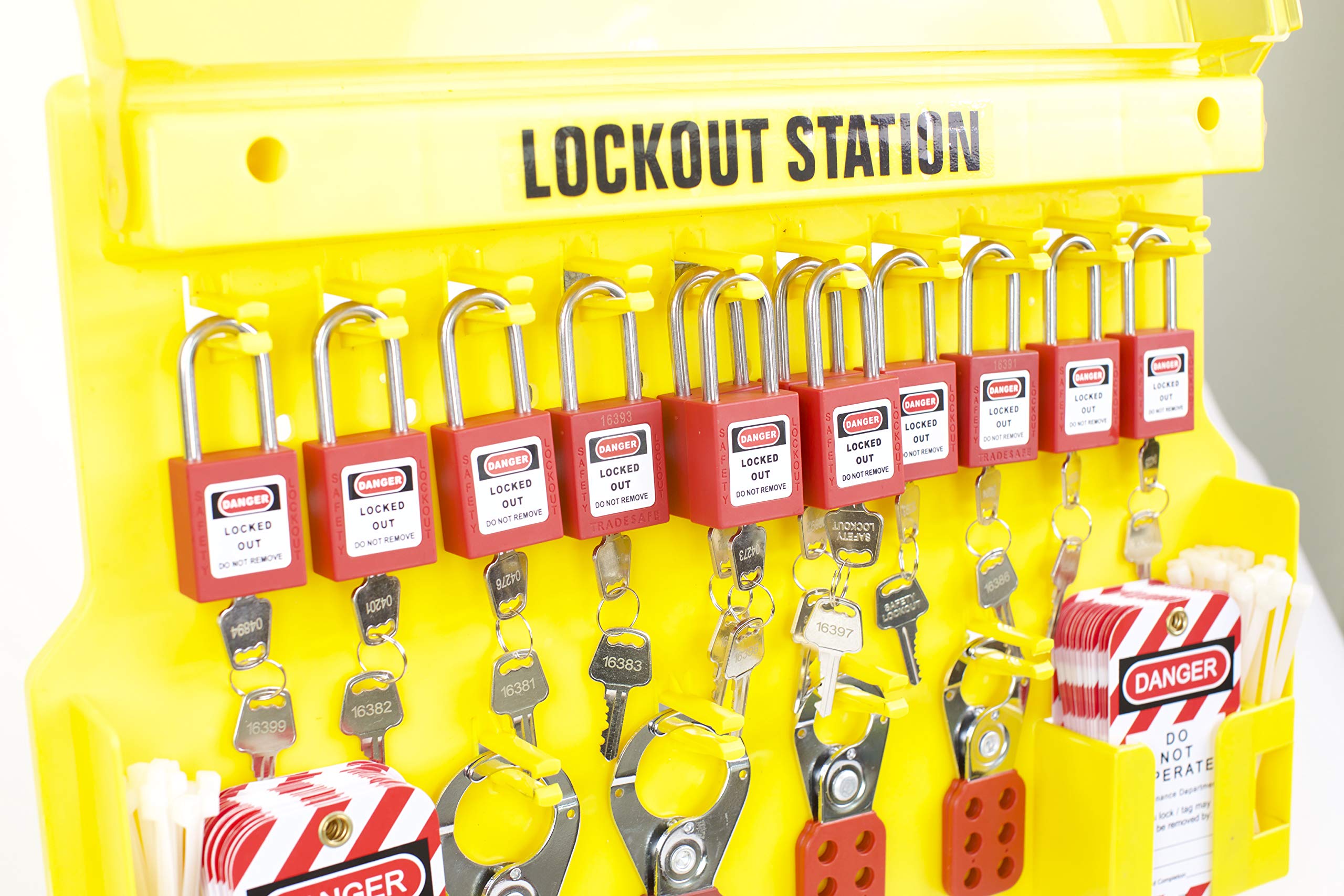
Finding a lockout tagout forms PDF is simple. But using one effectively—ensuring it prevents accidents, supports audits, and aligns with OSHA regulations—is where most organizations fail.
A PDF form isn’t just paperwork. It’s a legal record of energy control, a training tool, and a frontline defense against unexpected machine startup. Use it wrong, and it becomes a liability. Use it right, and it strengthens your safety culture.
This guide cuts through the clutter. We’ll examine what makes a LOTO form truly functional, where to find trustworthy templates, and how to adapt them for practical use—beyond just filling in blanks.
What Is a Lockout Tagout Form?
A lockout tagout form documents the steps taken to isolate hazardous energy sources during maintenance or servicing. It’s not optional. OSHA 29 CFR 1910.147 requires employers to establish a written energy control program—and the form is a core part of that.
Think of it as a checklist and a communication tool. It tells workers:
- What equipment is being serviced
- Which energy sources are isolated (electrical, hydraulic, pneumatic, etc.)
- Who applied the lock/tag
- When the lockout began
- What procedures were followed
Without this, assumptions grow. Someone might think a machine is safe when it isn’t. That’s how injuries happen.
Key Sections Every Lockout Tagout Form Should Include
A generic PDF won’t help if it skips critical fields. A strong form includes these elements:
Equipment Identification Clearly state the machine name, ID number, and location. Ambiguity kills. “Conveyor Line A” isn’t enough. “Conveyor Line A – Packaging Room, West Wing, ID #C882” is better.
Energy Sources Isolated List every source: main power, backup batteries, pressurized lines, gravity-fed systems. Don’t assume electricity is the only hazard. A hydraulic press stores energy even when powered down.
Authorized Personnel Only trained, authorized employees can apply locks and tags. The form must capture their name, signature, and employee ID. This creates accountability.
Lock and Tag Details Record lock numbers, tag serials, and placement points. If five people are working on one machine, five locks must be present—and all accounted for.
Verification of Isolation A section for confirming zero energy state (e.g., testing circuits, bleeding lines) is non-negotiable. This proves the lockout worked.
Duration and Release Note the start time and expected completion. Include a release checklist: all tools removed, guards replaced, personnel clear.
Common Mistakes When Using LOTO Forms PDF
Even with a solid template, errors creep in. Here are the most damaging:
Mistake 1: Using a Generic Form for All Machines One-size-fits-all templates fail. A CNC machine has different energy sources than a boiler. Customize the form—or use machine-specific versions.
Mistake 2: Skipping the Verification Step Workers check a box saying “verified” without testing. This turns the form into a formality, not a safety tool. Always require proof—like a multimeter reading.
Mistake 3: Allowing Blank Fields Incomplete forms are useless in an audit. If the lock number is missing, OSHA can cite you. Train staff to treat every field as mandatory.
Mistake 4: Storing PDFs Only on a Server If the form isn’t accessible at the point of use, it won’t be used. Print copies near equipment, or use laminated versions with dry-erase markers for reuse.
Mistake 5: Never Updating the Form Machines change. Procedures evolve. A form from three years ago may not reflect current risks. Review and revise at least annually—or after any incident.

Where to Find Reliable Lockout Tagout Forms PDF
Not all templates are created equal. Quality matters. Here are trusted sources:
1. OSHA Website OSHA provides free guidance documents and sample forms. While not industry-specific, they meet regulatory minimums. Use them as a baseline.
2. NIOSH and ANSI Resources The National Institute for Occupational Safety and Health (NIOSH) and ANSI Z244.1 offer detailed frameworks. Their templates are more comprehensive, ideal for complex environments.
3. Industry Associations Groups like the Manufacturing Safety Alliance or NFPA publish sector-specific forms. If you work in food processing or chemicals, these are gold.
4. Safety Equipment Vendors Companies like Grainger, Brady, and Master Lock offer free PDFs with their lockout kits. Many include bilingual fields and visual icons—great for diverse teams.
5. Enterprise Safety Platforms Tools like IndustrySafe, EHS Insight, or Cority provide downloadable PDFs as part of broader LOTO software. These integrate with digital workflows and audit trails.
Pro Tip: Always verify that any downloaded PDF allows editing. Some are locked. Others require branding removal—fine for internal use, but check licensing.
How to Customize a LOTO Forms PDF for Your Facility
A downloaded template is just a starting point. Real value comes from adaptation.
Start with a risk assessment of each machine. Map all energy sources. Then build the form around that data.
For example, a printing press might include:
- Main electrical disconnect
- Ink pump hydraulics
- Air dryers (pneumatic)
- Rollers under tension (mechanical energy)
Each requires a separate lock point. Your form should reflect that.
Add visual aids. Insert a small diagram showing lock locations. Use icons for energy types (bolt for electrical, droplet for hydraulic). This speeds up comprehension during shutdowns.
Train your team on the updated form. Run a dry drill: simulate a repair, fill out the PDF, verify isolation. Fix gaps before real maintenance.
Digital vs. Paper Lockout Tagout Forms PDF
The rise of digital EHS tools has pushed many companies to move beyond static PDFs. But paper still has its place.
| Factor | Paper PDF Forms | Digital LOTO Systems |
|---|---|---|
| Accessibility | Always available offline | Requires devices and connectivity |
| Audit Trail | Hard to track revisions | Timestamps, user logs, cloud backup |
| Compliance | Meets basic OSHA needs | Easier to prove compliance |
| Training Use | Good for classroom sessions | Real-time guidance in the field |
| Scalability | Clunky for large operations | Integrates with CMMS and ERP |
For small shops or occasional maintenance, a well-designed PDF is sufficient. For larger facilities, digital platforms reduce errors and streamline reporting.
That said, you don’t need to go fully digital to improve. Try a hybrid: use a PDF form, but store completed copies in a shared drive with version control. Add a QR code on equipment that links to the correct form.
Real-World Use Case: Fixing a Conveyor Jam
Imagine a production worker clearing a jammed conveyor. Without a proper LOTO form, they might flip the emergency stop and assume it’s safe. That’s not lockout—it’s a shortcut.
Here’s how the form changes the outcome:

- Preparation: The supervisor pulls up the LOTO form PDF for Conveyor #7. It lists three energy sources: main motor (electrical), tensioner (hydraulic), and motor brake (pneumatic).
- Shutdown: Machine is stopped using the control panel.
- Isolation: Disconnect switches are turned off. Hydraulic valves are closed and bled. Pneumatic lines are vented.
- Application: The worker applies their personal lock and tag. The form logs the lock ID, name, and time.
- Verification: A multimeter confirms zero voltage. Pressure gauge reads zero on hydraulic line.
- Work Performed: Jam is cleared. Tools removed.
- Release: Supervisor verifies area is clear. Worker removes lock after signing the release section.
The completed form is filed. If OSHA visits, the record proves compliance.
Top 5 Lockout Tagout Forms PDF Templates (Free & Editable)
These are not random Google results. These are field-tested templates used by safety professionals:
- OSHA Sample LOTO Form (Standard Format)
- - Source: osha.gov
- - Best for: Basic compliance, small businesses
- - Features: Simple layout, OSHA-aligned fields
- Brady LOTO Procedure Template
- - Source: bradyid.com
- - Best for: Manufacturing, multi-energy systems
- - Features: Visual lock placement guide, bilingual support
- NIOSH Machine-Specific Worksheet
- - Source: cdc.gov/niosh
- - Best for: High-risk environments (chemical, heavy machinery)
- - Features: Energy source mapping, verification checklist
- Grainger Editable PDF Pack
- - Source: grainger.com
- - Best for: Facilities with mixed equipment
- - Features: 10+ templates, fillable fields, lock inventory log
- ANSI Z244.1 Compliant Template
- - Source: safetymanuals.com (free sample)
- - Best for: Companies pursuing certification
- - Features: Alignment with ANSI standards, audit-ready format
Always test a template before rolling it out. Print it. Try filling it during a real shutdown. If it takes more than 5 minutes to complete, simplify it.
Making Your Lockout Tagout Forms PDF Work in Practice
A PDF is only as good as its adoption. Enforce usage with these steps:
- Store forms at the point of use: Laminate a copy and attach it near the machine with a pen on a chain.
- Include it in onboarding: New hires must complete a LOTO drill using the actual form.
- Audit monthly: Randomly check 10% of completed forms for accuracy and completeness.
- Link it to permits: Require a filled LOTO form before issuing a work permit.
- Review after incidents: If near-misses occur, ask: “Was the form used? Did it fail?”
Your goal isn’t just compliance—it’s creating a system where no one would dream of bypassing lockout.
A lockout tagout forms PDF is more than a document. It’s a commitment to safety. Downloading a template is the easy part. The real work is ensuring it’s used correctly, every time. Start with a solid form, customize it, train your team, and audit relentlessly. That’s how you turn paperwork into protection.
Frequently Asked Questions
What should a lockout tagout form include? It must list equipment ID, energy sources isolated, authorized worker details, lock/tag numbers, verification of zero energy, and release information.
Are free LOTO forms PDFs reliable? Yes, if sourced from OSHA, NIOSH, or reputable safety suppliers. Always verify they’re editable and align with your machinery.
Can I use the same form for all machines? No. Each machine has unique energy sources. Use machine-specific forms or add customizable sections.
Do OSHA accept digital LOTO forms? Yes, as long as they’re secure, tamper-proof, and include signatures, timestamps, and accessibility during inspections.
How long should I keep completed LOTO forms? At minimum, one year. For high-risk tasks, retain for three years or as required by internal policy.
Who can fill out a lockout tagout form? Only authorized employees trained in energy control procedures. Not all workers qualify.
Can a PDF form replace a full LOTO procedure? No. The form supports the procedure but doesn’t replace written protocols, training, and machine-specific plans.
FAQ
What should you look for in Lockout Tagout Forms PDF: Templates and Best Practices? Focus on relevance, practical value, and how well the solution matches real user intent.
Is Lockout Tagout Forms PDF: Templates and Best Practices suitable for beginners? That depends on the workflow, but a clear step-by-step approach usually makes it easier to start.
How do you compare options around Lockout Tagout Forms PDF: Templates and Best Practices? Compare features, trust signals, limitations, pricing, and ease of implementation.
What mistakes should you avoid? Avoid generic choices, weak validation, and decisions based only on marketing claims.
What is the next best step? Shortlist the most relevant options, validate them quickly, and refine from real-world results.